29 Jul 2026
How to Conduct a Complete SEO Backlink Audit
A backlink audit helps you evaluate the quality, relevance, and health of links pointing to your website. This process allows you to identify toxic backlinks, recover broken links, and strengthen your overall SEO performance.
Guide
- Environment Setup
- SEMRush: Identify Potentially Toxic Backlinks
- Take Action on Spammy Backlinks
- If the action is “Remove”:
- If the action is “Disavow”:
- If the action is “No Action”:
- Identify 404 (Broken) Backlinks
- Choose the Correct Action for Each 404 Backlink
- Option 1: Contact to request fix
- Option 2: Redirect
- Option 3: Bring page back
- Option 4: Nothing
- Take Action on 404’d Backlinks
- If “Contact to request fix”:
- If “Redirect”:
- If “Bring page back”:
- If “Do Nothing”:
- Analyse Your Top Linked Pages
Goal: To carry out a thorough SEO Backlink Audit on any website, clearly identifying what’s performing well, what needs fixing, and which tasks should be prioritised first.
Ideal Outcome: The user receives a complete backlink audit showing the current state of their backlink health, including clear next steps and recommended actions.
Prerequisites or Requirements: None.
Why this is important: Backlinks are one of the strongest ranking signals for search engines. You want to make sure you’re gaining the full benefit of the links pointing to your site and avoiding any issues caused by spammy or low quality links collected over time.
Where this is done: Your browser, Google Docs, Google Sheets, SEMRush, and Ahrefs.
When this is done: Every 3–6 months, or whenever you suspect your site may have been impacted by negative SEO or a problematic link profile.
Who does this: Whoever is managing SEO for the website this could be an in house marketer, freelancer, or agency.
Environment Setup
- Create a SEMRush account.
- Create an Ahrefs account.
SEMRush: Identify Potentially Toxic Backlinks
Log in to SEMRush: https://www.semrush.com/login/
Click Backlink Audit → Enter the domain you want to analyse → Start Backlink Audit
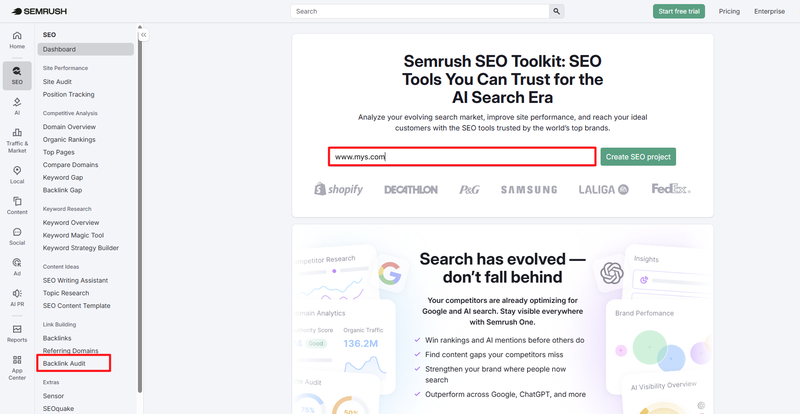
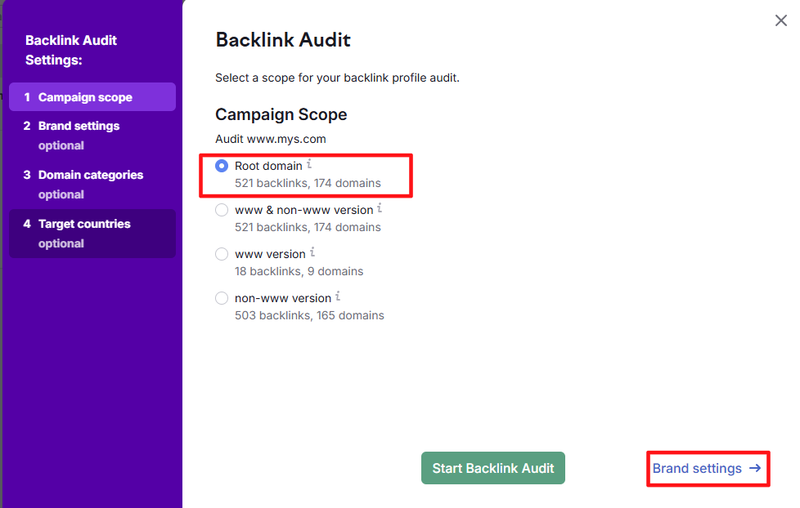
Select Root domain (unless you specifically need a different scope) → Click Brand settings
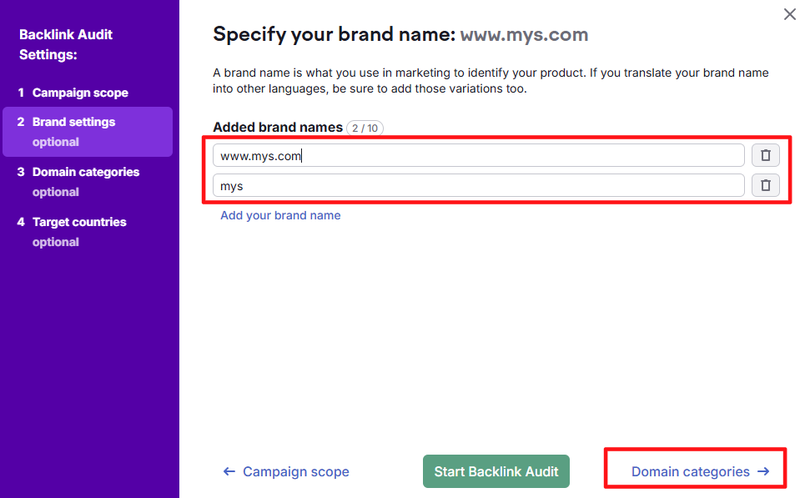
Enter every reasonable variation of your brand name (e.g., “Aussie Outdoor Gear”, “AOG”, “Aussie Outdoor”) → Click Domain category
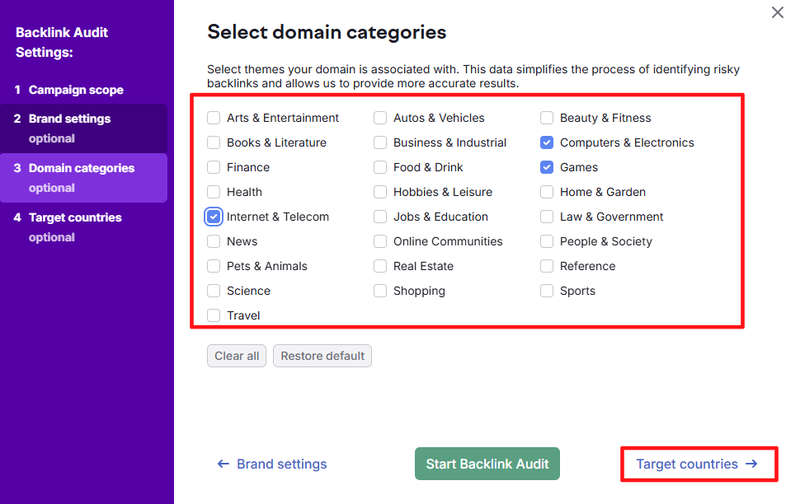
Choose the most relevant categories for your website → Click Target countries
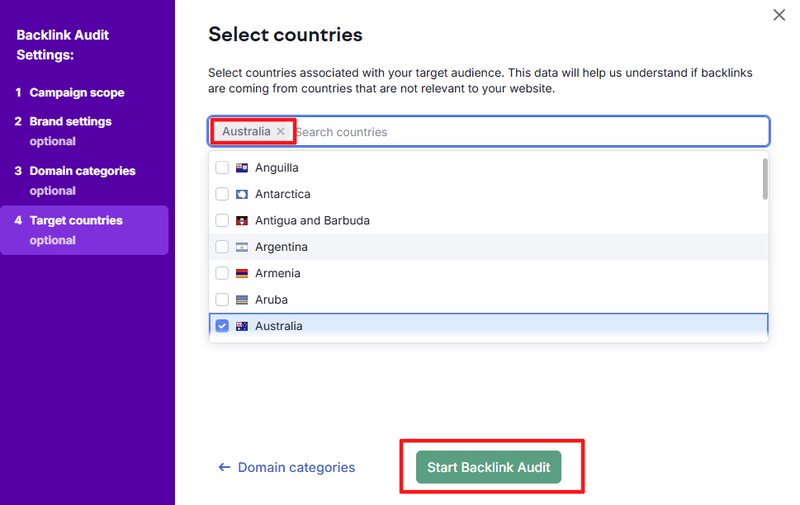
Choose your target countries (e.g., Australia, New Zealand, Singapore if you service APAC) → Click Start Backlink Audit
Your audit will begin processing sites with a large backlink profile will take longer.

Once complete, you’ll get a confirmation message → Click Go to results
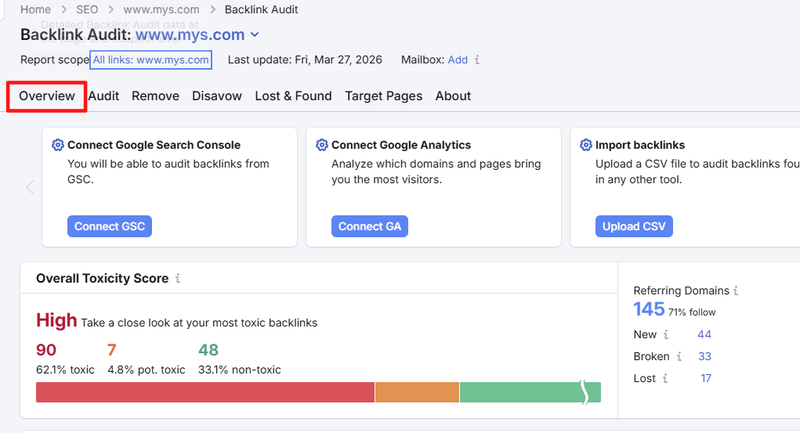
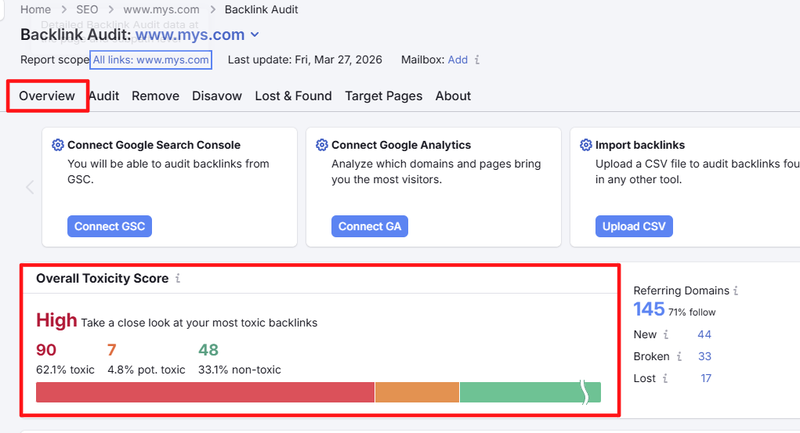
Review the Overall Toxic Score this gives a quick look at how risky or spammy the link profile might be. Lower is better → Click Audit
In the top right, click Export to CSV. Open the CSV in Google Sheets.
Open your Backlink Audit Template (Spam Audit Sheet) → Paste in the exported CSV data.
Sort by Toxic Score (Column O). Analysing each URL manually in the “Risk Analysis” columns will assign a Risk Score.
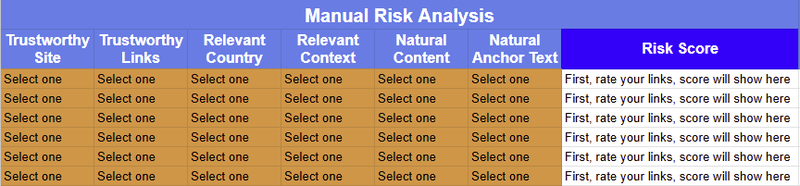
Risk scoring defaults:
- Low: All answers = “Yes”
- Medium: One “No”
- High: Two or more “No” responses
You can adjust score boundaries if needed:
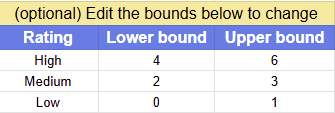
Ensure ranges don’t overlap otherwise scores won’t calculate properly.
Ultimately, you decide whether the backlink is safe to keep. If a link has a Medium or High risk score, consider removing it.
For each backlink, choose an Action:
- Remove First option unless you’re sure the website owner won’t respond.
- Disavow Only if your profile contains many spammy or artificial links causing or likely to cause penalties.
- No Action If the link is safe or beneficial.
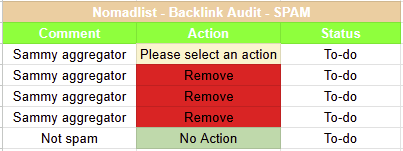
Column O contains the SEMRush Toxic Score metric (0 = good, 100 = highly toxic). Work through all links until the Toxic Score drops below about 45.
If time is limited and the site has a massive backlink profile, you can stop there but ideally, review everything.
Take Action on Spammy Backlinks
If the action is “Remove”:
- Visit the referring website and look for contact info.
- Check for “Contact us”, “Write for us”, or similar links.
- Search for the site owner on social media; an email might be listed on their Twitter profile.
- Use the Mail Hunter Chrome extension (save your free monthly credits).
- Use a Whois lookup to find potential contact details.
Email example:
Hi,
This is [Your Name] from [Your Business Name]. I noticed that on this page: [Backlink Source], you’ve linked to [Your Business Name].
While we appreciate the mention, it would be great if you could please remove the link. Replacing it with a brand mention or plain text URL would work well.
Thanks,
[Your Name]
If the action is “Disavow”:
Prepare your disavow file and upload it through Google Search Console.
If the action is “No Action”:
Move on to the next link.
Identify 404 (Broken) Backlinks
Open Ahrefs → Enter your domain → Click the magnifying glass → Click Broken
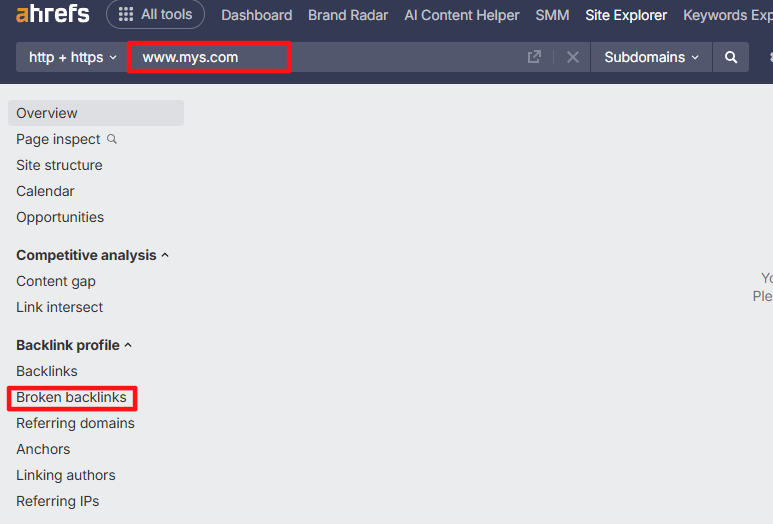
Click Export → Full Export → Start Export
Download the CSV from notifications.
Copy data into your Backlink Audit Template (404 Audit Sheet).
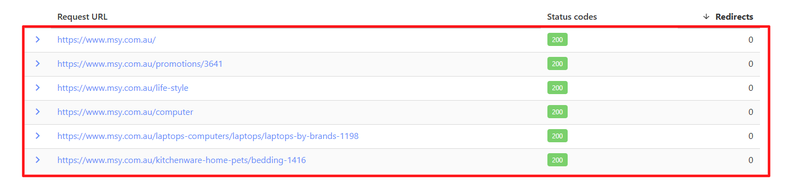
(Optional): Verify that pages still return 404 using URLitor.com:
Paste “Link URL” values → Submit
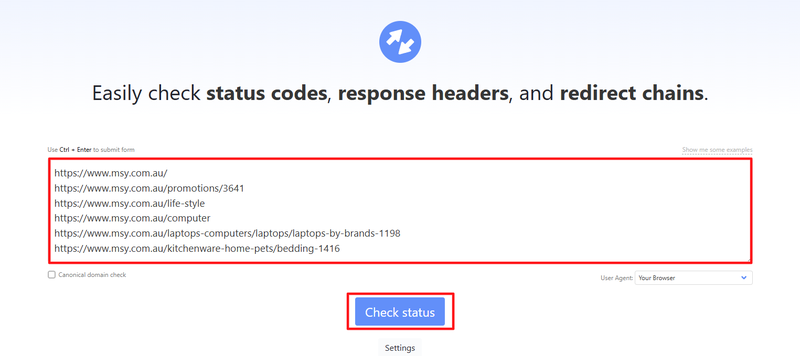
If a link no longer returns a 404, remove it from further analysis.
Choose the Correct Action for Each 404 Backlink
Option 1: Contact to request fix
Useful when the referring site simply linked incorrectly (typo, wrong parameter, extra characters).
Example: An Australian hiking blog links to “https://adventuregear.com.au/backpacks)” the extra bracket breaks the link.
Option 2: Redirect
When an old page should point to a newer equivalent.
Example: Redirect “/brisbane-kayaking-tours/” → “/kayaking-brisbane/”.
Option 3: Bring page back
Recreate content previously hosted at that URL.
Example: Bringing back an old comparison page like “/best-esky-guide/”.
Option 4: Nothing
If the links are part of spammy negative SEO, no action is required.
Take Action on 404’d Backlinks
If “Contact to request fix”:
Same contact steps as before. Politely explain that fixing the link improves user experience.
If “Redirect”:
Set up the redirect (e.g., via WordPress, cPanel, or your CMS).
If “Bring page back”:
Rewrite or recreate the content, ensuring the URL stays identical.
If “Do Nothing”:
Move on.
Analyse Your Top Linked Pages
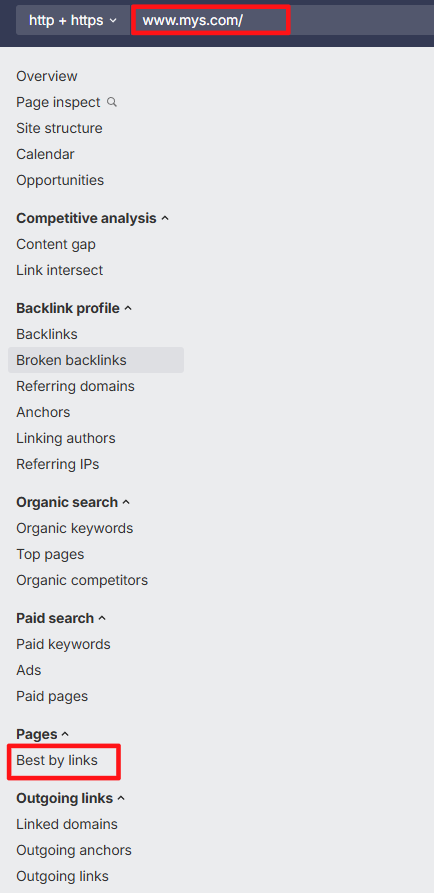
Open Ahrefs → Enter your site → Click Best by links
Export to CSV
Paste into your Backlink Audit Template (Popular Pages Sheet)
Add comments such as:
- “Our travel tools get the most backlinks.”
- “Australian beach related guides attract more links than any other topic.”
- “Spanish language websites frequently reference our research.”
- “These two URLs are duplicates consider canonicalisation.”
These insights guide future content and link building strategies.