
Goal: To carry out a thorough SEO audit on any webpage across any website, clearly identifying what’s performing well, what isn’t, and which tasks should be prioritised first.
Ideal Outcome: The user receives a detailed review outlining the current condition of a webpage, along with clear and actionable next steps.
Why this matters: To properly optimize a webpage so it can attract more organic traffic from search engines.
Where this is done: Inside your browser, Google Docs, Google Sheets, and several third party tools.
When this is used: Whenever you need to check a webpage to increase its organic visibility.
Who performs this: The person handling SEO or client accounts in your organisation. This could also be a freelancer or virtual assistant.
Environment Setup
Get set up with the tools you’ll need for the audit.
Download or gain access to the following:
- Redirect Path Chrome Extension, Free
- Google Tag Assistant Companion, Free
(Note: The original Google Tag Assistant Legacy extension was retired in October 2023.) - Ahrefs, Paid (alternatives include SEMRush, Majestic, or Moz’s Link Explorer)
How This SOP Works
This process assumes you already know the main keyword the page should target.
For the example in this SOP, the primary keyword is “create an online course”.
You’ll record all answers inside Template 001: SEO Audit Worksheet:
Make a copy of the spreadsheet by selecting “Export as Google Doc.”
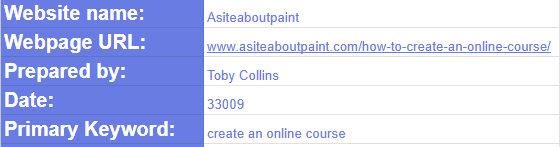
Fill in the details at the top of the sheet.
This SOP contains a long list of questions. Every question has a matching row in the spreadsheet. Review each question and choose the appropriate value from the Score column.
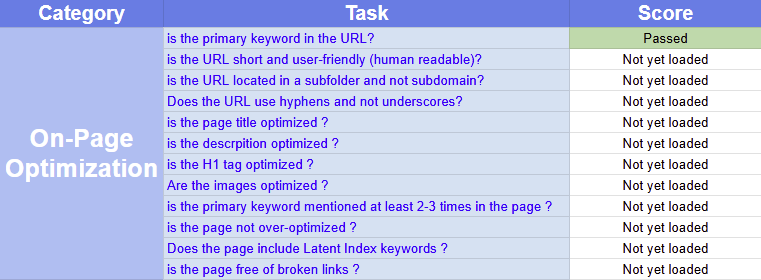
If the answer is “Yes”, select “Passed” from the score column.
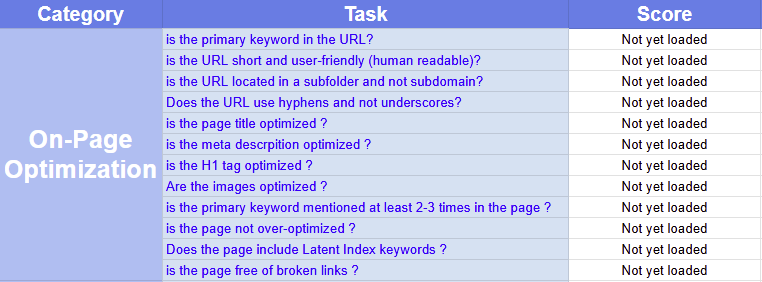
If the question doesn’t apply to the webpage you’re reviewing, select “N/A.”
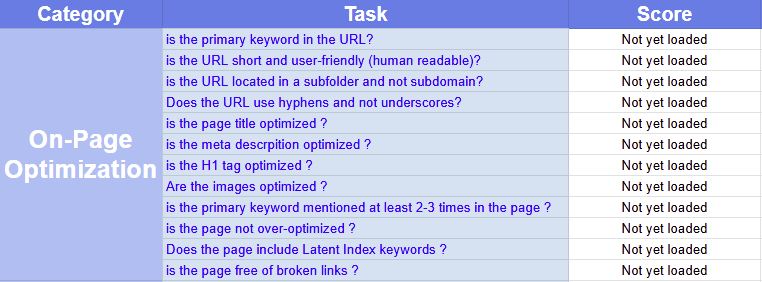
Each question includes details on how to test and answer correctly.
Your audit is complete once every item in the spreadsheet has been assessed.
On Page Optimisation Audit
Check the Page URL
Important: If you are auditing the root domain (e.g., a homepage), these URL specific questions do not apply. Select N/A for them.
Is the primary keyword included in the URL?
Check the full URL and confirm whether it includes the target keyword (excluding words that naturally appear in the domain name).
Example of a URL that includes the primary keyword.
Example of a URL that does not include the primary keyword.
Is the URL short and user friendly?
The URL should be under 6–7 words and easy to remember, something you could recall confidently in a few minutes.
Example of a short, simple URL.
Example of a long, messy URL.
Is the URL placed in a sub folder and not a subdomain?
Look at whether the address uses the main site with folders (e.g., /courses/online) rather than separating the content using a subdomain.
Examples of URLs correctly using sub folders.
Example of a URL using a subdomain.

Does the URL use hyphens rather than underscores?
Look at the structure of the URL.
Example using hyphens.
Example using underscores.
Check On Page Elements
To examine these elements, we’ll use Screaming Frog SEO Spider, a free tool for Windows and Mac. It crawls your site and identifies on page issues.
(Free version crawls up to 500 URLs, upgrade if you need unlimited crawling.)
Open the tool and enter your webpage URL.
Is the page title optimised?
Under the Page Titles tab, review the “Title 1” column:
- Is the title fewer than 70 characters?
- Does it include the primary keyword?
Is the meta description optimised?
Open the Meta Description tab:
- Is the description under 160 characters?
- Does it include the primary keyword?
Is the H1 tag optimised?
Under the H1 tab:
- There must be only one H1 tag.
- The H1 must include the primary keyword.
Are the images optimised?
Ensure every image includes an alt text so search engines understand the content.
Go to the Images tab → Filter to Missing Alt Text to find images missing alt descriptions.
Check whether your image filenames are clear and descriptive.
Example of a user friendly filename:

Example of an unfriendly filename:

Check Keywords in the Body Copy
Is the primary keyword mentioned 2–3 times?
Open the page in your browser and use:
- Cmd + F (Mac)
- Ctrl + F (Windows)
Search for the keyword and make sure it appears at least 2–3 times.

Is the page NOT over optimised?
Using the same search method:
Ensure the keyword does not appear more than 8–9 times.
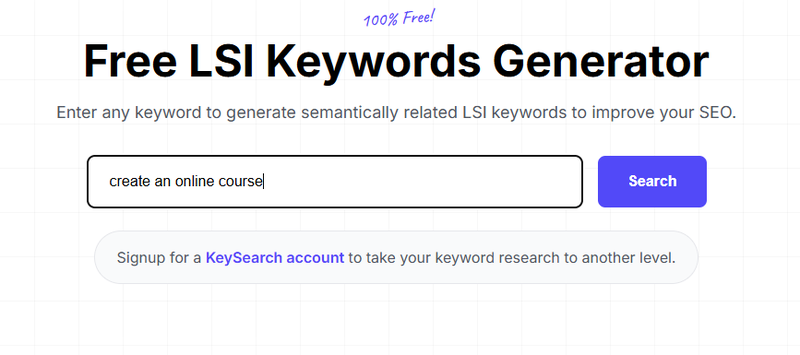
Does the page include LSI (semantic) keywords?
Open LSIGraph and search for your primary keyword.
Choose 2–3 relevant supporting terms.
Use find/search again to confirm they appear in the content.
Check Links on the Page
Is the page free from broken links?
Use a Broken Link Checker tool.
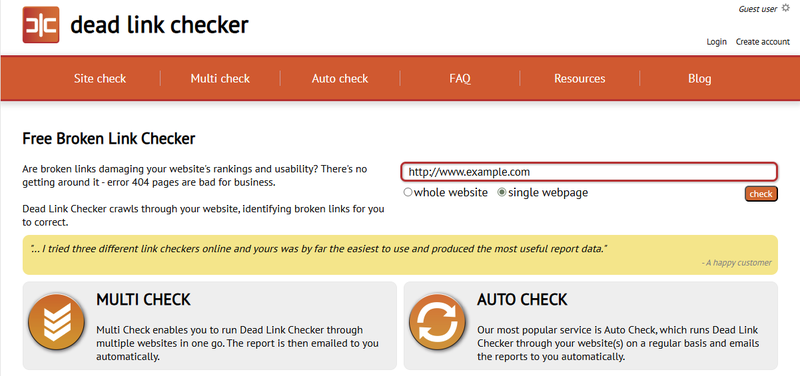
If broken links are detected, the report will list them.
Technical Optimisation Audit
(Note: The Google Mobile Friendly Test was discontinued on 1 December 2023. Google now recommends using Chrome Lighthouse.)
Why Use Chrome Lighthouse?
Chrome Lighthouse analyses five major areas:
- Performance: load speed, First Contentful Paint, Largest Contentful Paint, etc.
- Accessibility: usability for people with disabilities.
- Best Practices: coding standards, security, HTTPS, image quality.
- SEO: mobile friendliness, metadata, indexing factors.
- Progressive Web App (PWA): installability and cross device optimisation.
It provides detailed reports and clear recommendations to improve user experience and search visibility.
Recommended Method: Lighthouse via Chrome DevTools
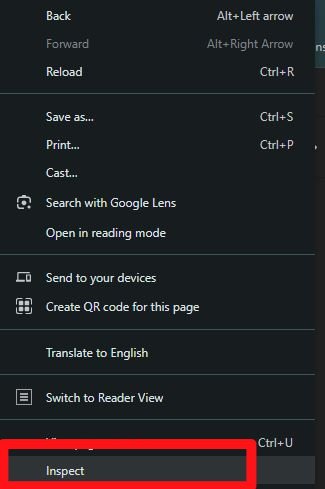
1. Open Chrome DevTools
Right click on any part of the webpage → Inspect.
2. Select “Lighthouse”
If it’s not visible, click the arrow icon to reveal hidden tabs.
3. Choose Audit Categories
Pick performance, accessibility, best practices, SEO, or all of them.
4. Run the Audit
Click Analyse or Run audits.
5. Review the Results
A report will appear showing scores, suggestions, and fixes.
Off Page Optimisation Audit
We’ll use Ahrefs to analyse backlinks. You can use alternatives like SEMRush, Majestic, or Moz if needed.
Open Ahrefs and enter your webpage URL.

Make sure the filter is set to Exact URL.
Important:
If the page has no backlinks, skip all questions in this section, mark them as “Needs work”, and add a note saying “No backlinks available.”
Do the backlinks come from trustworthy sites?
Open Backlinks in the sidebar.
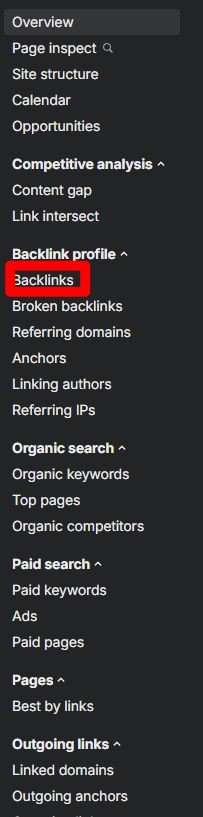
Check whether at least 50% of referring sites have a Domain Rating (DR) above 30.
Are backlinks contextually relevant?
Click the top 10 backlinks to inspect their content.
Relevant Example (good):
A site about education, online learning, or small business skills linking to a page about creating an online course.
Irrelevant Example (bad):
A site selling industrial machinery linking to an online course guide.
At least half of the top 10 links must be contextually relevant.
Are backlinks avoiding redirect chains?
Check that no more than 20% of backlinks go through more than one redirect.
Example of a redirect chain shown in Ahrefs:
Is the anchor text distribution natural?
Select Anchors in the sidebar.
Focus on:
- Anchor text
- Referring domains
Search for the exact primary keyword.
Add the percentages of referring domains using that exact match anchor.
The total should be less than 50% to avoid over optimisation signals.