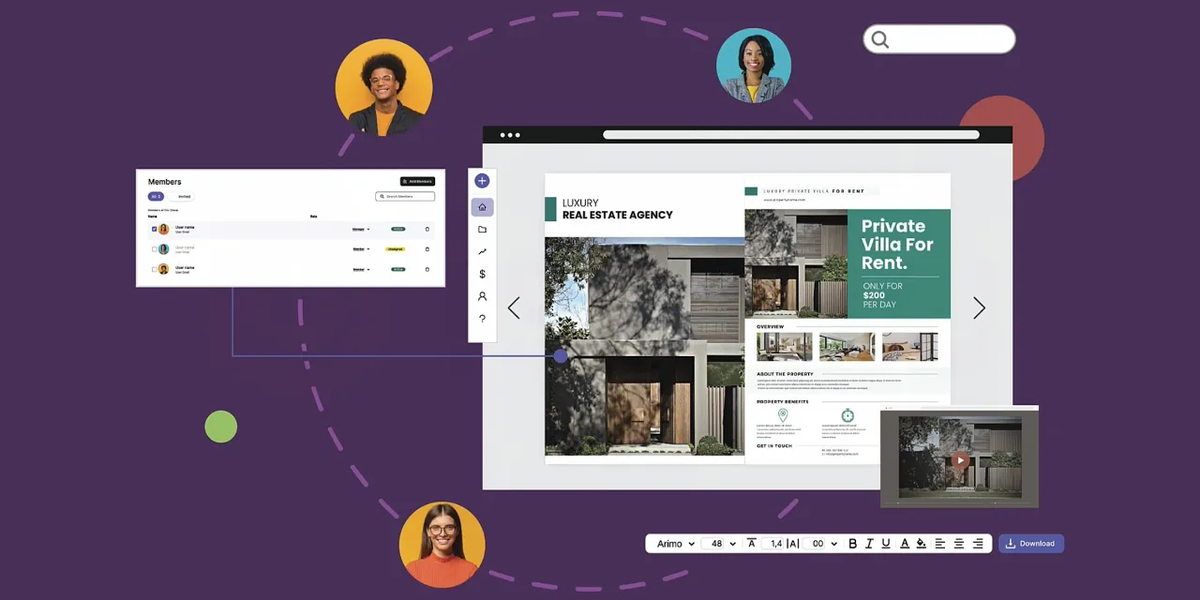
For businesses, publishers and content creators, ISSUU is a powerful publishing tool that showcases brochures, magazines or portfolios in online flipbook form. If you engage an agency to design or manage your content, they will need access to your account. But you do not want to compromise your credentials or control over your brand.
In this guide, you will discover:
- How to prepare for agency access
- Setting up the right permissions and passwords
- Collaborating without compromising security
- What your agency can and cannot do
- Effective communication and feedback
- Revoking access when your project ends
- Why a marketing coordinator can make all the difference
By the end, you will be able to confidently add an agency to your ISSUU account, and maintain oversight every step of the way.
Why Not Hand Over Your Login?
It may seem easy to just give your agency your username and password, but that is risky and may even violate ISSUU’s terms of service.
Here is why you should avoid sharing login credentials:
- You lose visibility over account activity
- You cannot track actions or changes made by the agency
- If your relationship ends, revoking access is messy
- You increase security risks, especially if agencies reuse passwords
- You could accidentally expose private content or payment info
Instead, use secure sharing methods and account roles. That way, you stay in control of your content and credentials.
Step 1: Prepare Your Account and Publications
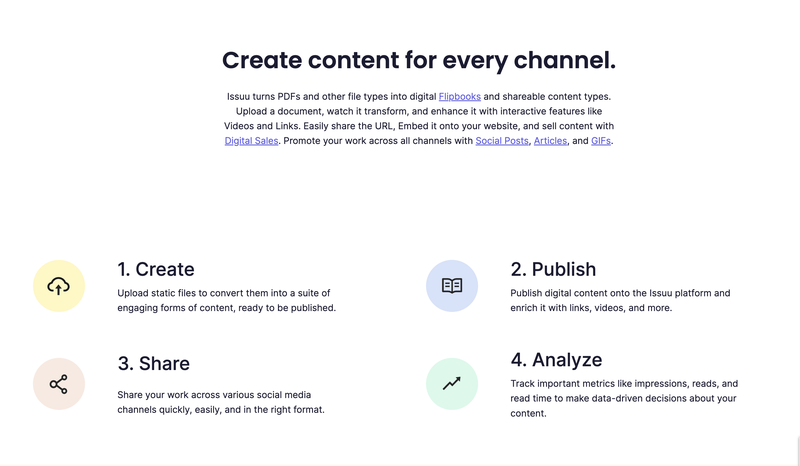
Before adding an agency, make sure your account and content are ready:
- Log in at ISSUU.com
- Ensure all publications are uploaded and organised into folders
- Review metadata (titles, descriptions, tags and categories) for accuracy
- Remove or archive any outdated or irrelevant content
- Confirm privacy settings for each publication: public, password protected or private
A clean account is far easier for an agency to manage than one filled with out-of-date assets.
Step 2: Add the Agency as a Team Member
ISSUU allows you to invite team members with controlled access. You can grant roles such as account manager or viewer.
To invite someone:
- Go to your Profile in ISSUU
- Select Team and Access
- Click Invite Member
- Enter the agency user’s email address
- Assign them a role, such as Publication Manager or Contributor
- Send the invite and await their acceptance
The agency will get access to upload, publish or edit publications based on their role. You maintain control over billing and security settings.
Step 3: Define Roles and Permissions Clearly
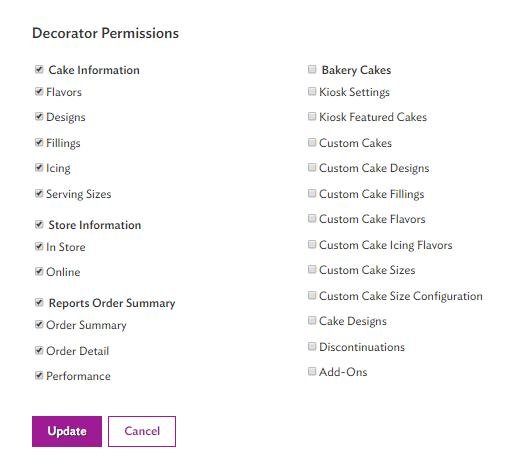
Different roles offer different access levels:
- A Publication Manager can upload new issues, edit metadata, set privacy and delete content
- A Contributor can upload publications, but cannot edit or remove existing content
- A Viewer can only view and comment on files
Before inviting the agency, decide what they need to do. If they only upload files, a Contributor role may be enough. If they handle metadata and scheduling, Publication Manager is a better fit. Assign the minimum level needed for their tasks.
Step 4: Share Branding Assets and Guidelines
Access is not the only thing an agency needs; they require assets and context. Provide them with:
- Brand guidelines that include colours, fonts and imagery
- Logos supplied in high-resolution formats
- Style guides or templates for consistent design
- An outline that explains your audience, tone and goals
- Links to your website, social accounts and other brand collateral
The clearer the direction you provide, the better their output will align with your brand identity. Not sure how to structure your brand voice or style? A marketing consultant can help you formalise your guidelines and improve consistency across campaigns.
Step 5: Agree on Workflow and Communication
To avoid confusion and delays, establish a clear collaboration process:
- Decide where the agency will upload files, specify a folder or naming conventions
- Set deadlines for drafts, reviews and final uploads
- Use a shared tool such as Google Drive or Asana to track tasks
- Schedule regular check-ins or progress updates
- Clarify who approves content before publication
This transparency ensures everyone knows what stage the content is at and who is responsible for each action. A marketing strategist can step in here to guide messaging and campaign flow, ensuring your publications support bigger-picture goals.
Step 6: Use Account Notifications and Reporting
ISSUU includes features to help you stay on top of what is happening:
- Enable email notifications for uploads or edits
- Invite stakeholders as reviewers or followers to specific publications
- Use the analytics panel to monitor reads, views and engagement
- Encourage the agency to provide monthly performance reports
These tools keep you informed without needing to constantly check or ask for updates.
Step 7: Know What Agencies Can and Cannot Do
Comprehending the limitations of each ISSUU role will help avoid misuse:
- Contributors can upload but cannot edit existing files or settings
- Publication Managers can delete materials, so give that role carefully
- Agencies cannot access your billing or account security settings
- You are always able to remove their access at any time
By understanding what each role enables, you retain control and avoid unwanted access or content changes.
Step 8: Review and Revoke Access When Done
Once your project is complete, or your relationship with the agency ends, it is wise to cleanse your account:
- Visit Profile > Team and Access
- Identify the agency user or email
- Revoke access or downgrade the role to Viewer
- Remove any drafts or unused uploads
- Archive completed editions or tasks
- Update your brand assets if required
This ensures unwanted access is revoked and your account remains clean and secure.
Step 9: Troubleshooting Common Issues
If something goes wrong, these quick checks can help:
- Confirm the user accepted their invite
- Double-check that check role assignment is correct
- Make sure they are accessing your correct organisation
- Check that the publication folder is visible
- Contact ISSUU support if unexpected errors occur
Documenting your workflow helps in troubleshooting and onboarding new agencies in the future.
Why You Might Want a Marketing Coordinator

Managing ISSUU alongside other channels can be overwhelming. A marketing coordinator provides oversight, ensuring smooth collaboration between you and your agency.
A coordinator can:
- Oversee the account structure and user access
- Ensure brand consistency across channels
- Manage deadlines and content schedules
- Pull performance metrics and act on insights
- Coordinate between internal teams and external partners
Rather than juggling tasks yourself, a coordinator ensures everything runs seamlessly.
Need help getting everything set up just right?
We connect you with experienced marketing coordinators who understand how to manage content platforms like ISSUU.
Your coordinator will help you onboard agencies, manage access and ensure publications launch on time. They will take care of the behind-the-scenes details so you can focus on your message and audience. They bring transparency to your workflow, freeing you from micromanaging every step and ensuring that your brand publishes with confidence. Hire a marketing coordinator from Cemoh today and make collaboration on ISSUU, and beyond, effortless and efficient.