Goal: Establish a structured and repeatable process to identify guest blogging opportunities, conduct outreach, and efficiently produce content to acquire high-quality backlinks.
Ideal Outcome: Consistent acquisition of high-quality, contextual, and non-spam backlinks that enhance your website’s authority and organic rankings.
Prerequisites or requirements:
You should be familiar with conducting keyword research and ideally have an established keyword strategy. Refer to SOP 011 (web version) if further guidance is required.
Why this is important:
Link building is a fundamental component of SEO. Achieving rankings for competitive search queries requires authoritative backlinks from relevant websites.
Where this is done:
Within Google Chrome (using the extensions outlined in this SOP), BuzzStream, and TextBroker.
When this is done:
Whenever link-building activities are undertaken to improve search visibility.
Who does this:
The SEO or link-building specialist responsible for organic growth initiatives. Selected tasks may be delegated to a virtual assistant or freelancer where appropriate.
Environment setup:
- Install the SimilarWeb Chrome extension.
- Install the Mail Hunter Chrome extension and create an account.
- Create a BuzzStream account (or obtain access if your organisation already uses it).
- The Group plan is recommended as it enables bulk outreach campaigns and includes a 14-day trial.
- If guest posts will be outsourced, create a TextBroker account.
Perform keyword research
If you are unfamiliar with this process, review SOP 011 (web version).
Identify the topic or search intent you intend to build links around. Each campaign should focus on a single search intent.
For example:
- “who creates emojis” and “unicode consortium” share similar intent.
- “who creates emojis” and “emoji Chrome extension” represent different intents.
Compile a comprehensive list of keywords aligned with the selected search intent.
Find/create content that you can repurpose multiple times
To improve acceptance rates for guest posts, you must provide original, high-quality content. Most editors require unique submissions. To scale this process effectively, create or select a strong existing article that can be rewritten or adapted.
Recommended specifications:
- The blog post must be directly aligned with the chosen search intent.
- Minimum length of 800 words.
- Include outbound links to reputable, authoritative sources (not solely your own website)
- Reference relevant data or statistics where possible.
- Maintain short paragraphs (maximum 3–4 lines) to improve readability.
- Include relevant images or graphics where appropriate.
Find guest posting opportunities (prospecting)
Note: If budget permits, consider outsourcing this step, as prospecting can be time-intensive.
- Open Template 013: Guest Blogging Campaign spreadsheet.
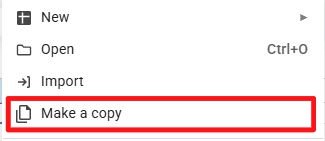
- Select “File → Make a copy”.
- Rename the file by replacing “[Searcher Intent]” with your selected intent.

- In the “Keywords” worksheet, enter your campaign keywords in column A.

- Confirm that columns B, C, D, and E populate automatically.
- Open Google.com
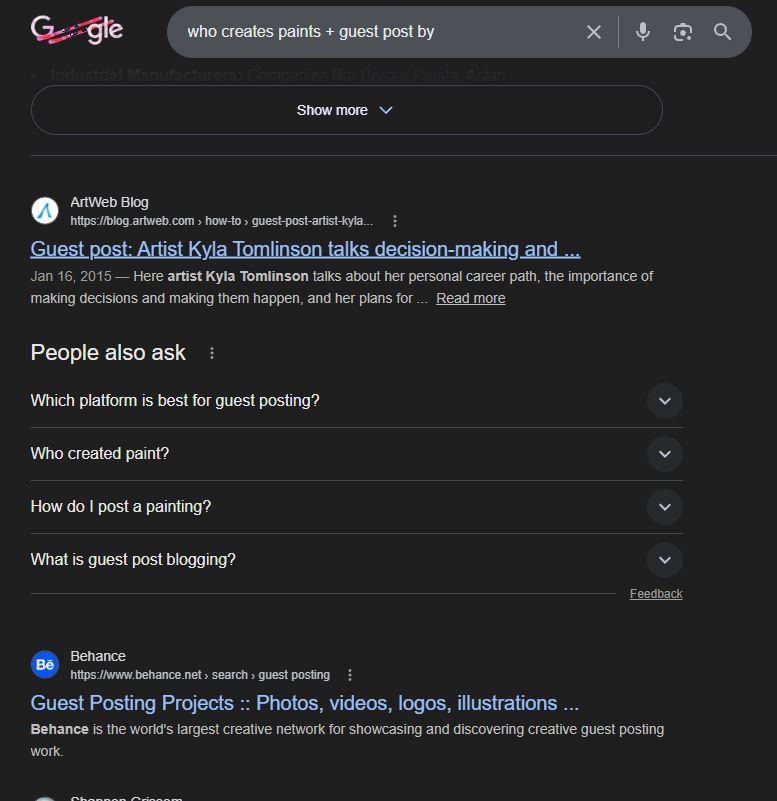
- Copy the first “Query #1” entry and paste it into Google.
- Review the first 50 results (pages 1–4) and qualify each opportunity using the following criteria:
- The root domain has not already been included in your campaign.
- The site is not owned by a competitor.
- The page is a genuine blog post (not a sales page, homepage, directory, contact page, or social media post).
- The content is directly relevant to your query.
- The site has published at least one article within the last three months.
- The site receives a minimum of 5,000 monthly visits (verify using SimilarWeb and review “Estimated Visits”).
Important: If any of the above criteria are not met, exclude the site.
If a page qualifies, locate the site owner or editor’s contact details (do not use the guest author’s email).
Methods to obtain contact information:
- Check for “Contact Us”, “Write for Us”, or similar links in the navigation or footer.
- If the editor’s name is available, search for their professional social media profile.
- Use the Mail Hunter extension as a final option (free accounts are limited to 150 searches per month).
Important: Do not spend more than 3–4 minutes searching for contact details. If unsuccessful, proceed to the next opportunity.
If all criteria are satisfied and contact details are found, record the following in the “Prospecting/Outreach” worksheet:
- Page URL
- Blog post title (proper title capitalisation)
- Blog post author (full name)
- Website name
- Editor/owner first name (if available)
- Editor/owner email
Leave the following columns blank at this stage:
- Status
- Notes
- Guest post URL
After completing one query, proceed to the next. Once all queries for a keyword are complete, mark the keyword as used in column F and continue.
Launch your outreach campaign
- Log in to BuzzStream and create a new project.
Set up the project:
- Project name: “Guest Blogging Campaign - [Searcher Intent]”
- Select relevant team members (if applicable).
- Add the URL you intend to build links to.
- Select the option to track links only to the specified URL.
- Ensure backlink reporting is enabled.
Click “Create Project”.
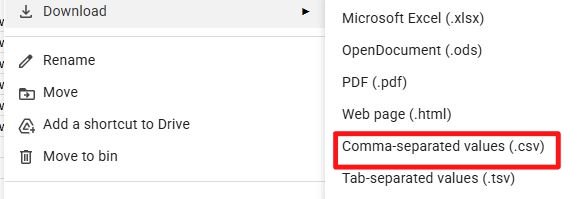
Download the “Prospecting/Outreach” worksheet as a .csv file.
In BuzzStream, select “Add Websites.”
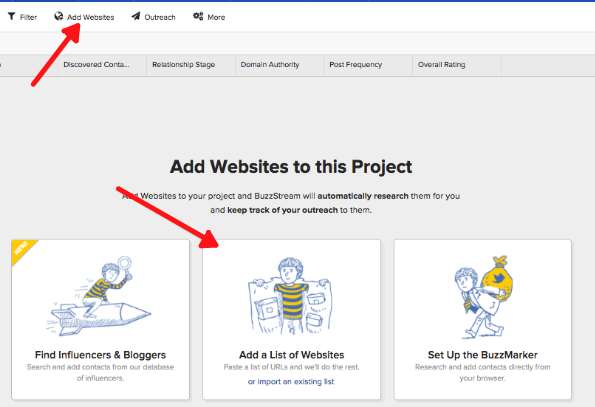
Upload the CSV file using “Match My CSV.”
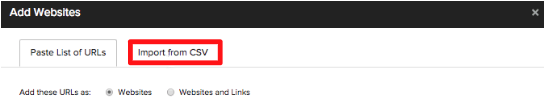
Match the spreadsheet columns to BuzzStream fields (use “-New Field-” where necessary) and import the data.
Create your outreach sequence:
- Navigate to Outreach → Manage Outreach → Create New Sequence.
- Name the sequence “Guest Blogging Campaign - [Searcher Intent]”.
- Use dynamic fields to personalise emails (e.g., editor names).
Sample template:
“Hi [Editor/Owner First Name],
I was researching content related to [[SEARCHER INTENT]] and came across this article by [Blog Post Author] on your site: [Page URL]. It was extremely informative.
I am currently preparing content on [[TOPIC OF BLOG POST]] and would welcome the opportunity to contribute a unique article to your website. Specifically, I propose [[SPECIFIC POST PITCH]].
The article would be original and exclusive to your publication.
Kind regards,
[User First Name]”
Replace text within [[ ]] with campaign-specific details.
Add two follow-up emails and configure automated timing.
Follow-up 1:
Hi [Editor/Owner First Name],
I am following up regarding my previous email. I would be pleased to provide a draft in the coming days should you be interested. I am also happy to adhere to any editorial guidelines.
Kind regards,
[User First Name]
Follow-up 2:
Hi [Editor/Owner First Name],
I am reaching out one final time regarding my proposed contribution. I would be delighted to collaborate if the opportunity remains available.
Kind regards,
[User First Name]
Ensure the “Send follow-ups as replies” option is enabled.
Replying to emails
Timely responses are essential to maximise link acquisition.
Common response types:
- Positive reply - Follow the site’s submission guidelines.
- Negative reply - Mark as rejected in the tracking sheet.
- Paid request - Politely decline.
- No reply - Automated follow-ups will be sent according to your settings.
Update the tracking sheet accordingly.
Writing the guest posts
To scale efficiently, consider using a content marketplace.
- Log in to TextBroker.
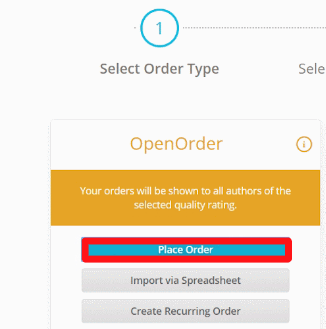
- Place an open order for a blog post.
- Create a project folder titled “Guest Blogging Campaign - [Searcher Intent]”.
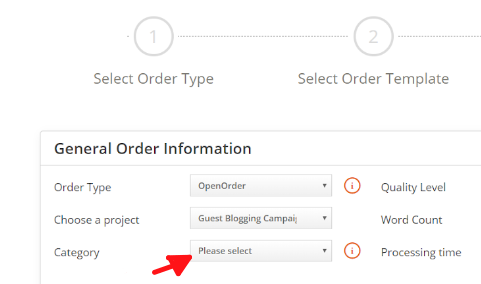
- Select the relevant category.
- Use a consistent naming convention (e.g., “Guest Blog - [Website Name]”).
- Enter the target keyword.
- Insert customised content guidelines into the briefing.
- Submit the order.
- Review the completed draft for quality and coherence.
- Request revisions if necessary.
- Insert your backlink once finalised.
- Submit the article to the editor.
- Implement any requested edits.
- Once published, update the “Guest post URL” column in the tracking spreadsheet.
Now, continue systematically scaling the process.